MISSION: PROTECT THE DIGITAL WORLD

Cybersecurity adventures for kids —
built like the games they already love

Kids learn to spot phishing, protect their identity, and outsmart hackers — all while leveling up a hero they built themselves.

Try a Free Mission — No Signup

Or start a 14-day free trial

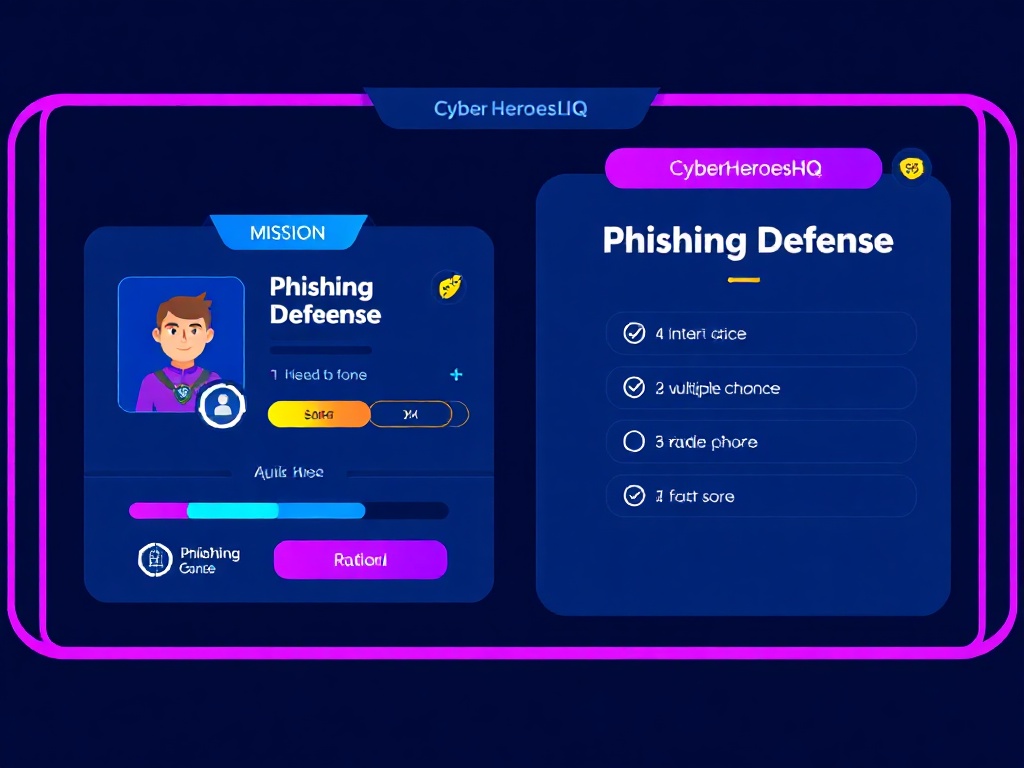
Mission preview — Phishing Defense quiz screen
🤖
NEW: AI Safety Pack — Live Now
Meet Deepfake Detective — Cipher's first AI Safety mission for Grades 6–8.
Learn the 5 Tells • Analyze 6 real scenarios • Earn the Deepfake Sleuth badge → 350 XP
Try it free →

From zero to cyber hero in minutes

01

Try a free mission

No account. No credit card. Pick a mission, play through it, earn your first badge in about 10 minutes.

02

Create your hero identity

Choose your avatar, name your hero, and join a classroom or start on your own. XP and badges carry over instantly.

03

Level up through 100+ missions

Phishing defense, password mastery, AI ethics, network security — kids build real skills while unlocking a story arc that keeps them coming back.

Learning cybersecurity should feel like saving the world

Mission-Based Learning

Every lesson is a mission. Defeat phishing attacks, crack codes, protect secret data. Kids don't study cybersecurity. They live it.

Anime-Inspired Stories

Original characters, story arcs, and villain showdowns. Each mission unfolds like an episode. Learning through narrative that kids actually want to follow.

AI Cyber Tutors

Personalized AI mentors that adapt to each student's pace. Struggle with encryption? The AI drills deeper. Ace password security? Level up to network defense.

Teacher Command Center

Assign missions, track progress, generate reports. Aligned to ISTE standards and CYBER.ORG K-12 frameworks. Built for classrooms, not just individuals.

From first password to first pentest

The only platform that covers the complete K-12 cybersecurity journey

01

Cyber Heroes Jr.

Ages 6-10

Password heroes, phishing detectives, privacy guardians. Story-driven adventures with colorful characters and puzzle challenges.

02

Digital Defenders

Ages 11-14

Social engineering awareness, network basics, digital forensics intro. Team challenges and multiplayer cyber quests.

03

Cyber Ops Academy

Ages 15-18

Ethical hacking, threat intelligence, cloud security, AI defense. Virtual cyber labs and real-world incident simulations.

Pick your mission track

Every plan starts with a free mission — no card required.

FREE

Try It Free

$0

One full mission, no login required. For kids who want to see what the fuss is about.

  • 1 free mission every visit
  • Badge earned instantly
  • No account needed
Try a Mission →
SCHOOL

Classroom Pilot

Free 30 days

Self-serve classroom setup in 60 seconds. Full teacher dashboard, demo students pre-loaded.

  • Full teacher portal
  • Roster + progress reports
  • No credit card
  • Provisions instantly
Start a Pilot →

Need district or school pricing? Get a self-serve quote →

Common questions

What age is this for?

Ages 6–18. Missions are grouped by grade band — K-2, 3-5, 6-8, and 9-12 — so the difficulty and storytelling match where each kid actually is.

Is it safe for kids? Is it COPPA compliant?

Yes. CyberHeroesHQ is COPPA compliant. We collect no advertising data, no behavioral tracking, and no third-party cookies. Kids use a screen name, never their real name. Parents control the account.

Does my child need to know anything about cybersecurity first?

Zero prior knowledge needed. Missions start at the fundamentals — what a password is, why strangers online can be different from who they claim — and progress from there. The AI mentor adapts to each kid's pace.

How does the free trial work?

The Family Plan includes a 14-day free trial — full access, no credit card required until the trial ends. You can cancel anytime from your parent dashboard. The free mission at /try is always free and requires no account at all.

I'm a teacher. Can my whole class use this?

Yes — and setup takes under 60 seconds. Start a free 30-day classroom pilot at /pilot. You get a teacher dashboard, a class join code, and demo students pre-loaded so you can see exactly what your students will experience before you bring them in.

Does it align to school curriculum standards?

Yes. Missions are mapped to ISTE standards and CYBER.ORG K-12 frameworks. You can see the full alignment at /standards. District and state-specific mappings are available for larger school accounts.

3.5 million cybersecurity jobs sit unfilled.
The pipeline starts in elementary school.

CyberHeroesHQ exists because cybersecurity is not an industry skill. It is a life skill. Every child who learns to spot a phishing email, protect their identity, and think critically online becomes part of the solution. We are building the generation that defends the digital world.

🔐
Tip of the Day
Using your pet's name as a password? So is the hacker trying to get in right now. Make passwords 12+ chars with a mix of letters, numbers & symbols → cyberheroeshq.com/curriculum
Read it →

Welcome Back, Hero

Enter your hero name to continue your training.

Welcome back, Hero
Your cyber training awaits. Complete missions to level up.
EXPERIENCE LVL 1
0 / 200 XP
0
Missions Done
0
In Progress
0
Badges Earned
0🔥
Day Streak
🔬 CYBER LABS
ACTIVE MISSIONS
BADGE COLLECTION
Loading...
  • 1
    Government agencies contact you by mail first The IRS, SSA, and courts send certified letters — they never call with arrest warrants or demand same-day gift card payment. Any such call is a 100% scam, every time.
  • 2
    Check the real URL — not the link text Smishing texts use lookalike domains: usps-pkg-alert.xyz, chasesecure-login.com. The real organization uses their exact domain only. Go directly to the app or website — never tap links in texts.
  • 3
    An unsolicited 2FA code = someone trying to log in as you If a 2FA code arrives and you didn't request it, someone has your password and is trying to get in. Change your password immediately — do not call any number in the text.
  • 4
    Legitimate IT never needs your password Real IT staff have admin access — they can fix your account from their side. If anyone calls asking for your credentials, that is social engineering. Hang up and report it.
  • 5
    Urgency + authority + credential request = scam formula Scammers layer fake authority ("I'm from the IRS"), fake urgency ("act now or face arrest"), and a request for sensitive info. The formula never changes. The more pressure they apply, the more suspicious you should be.
  • 🔏
    Privacy Locked Down, Hero!
    3 / 3 Scenes

    🔏 5 PRIVACY GUARDIAN PRINCIPLES

    • 1
      Strangers online are strangers in real life Someone friendly in DMs is still a stranger. Don't share your school name, neighborhood, schedule, or parents' workplace — that's a targeting profile, not a conversation.
    • 2
      One photo can reveal your entire life School logos, street signs, jersey numbers, landmarks, car plates — a single image can reveal your school, neighborhood, and daily routine. Check every photo before posting.
    • 3
      Turn off location services for photos Phones embed GPS coordinates in photos (EXIF data). Even without visible landmarks, a photo taken at your house can reveal your home address. Disable location for your camera app.
    • 4
      Private account = friends only, not the whole internet A public profile means anyone — recruiters, strangers, bad actors — can see everything. "Friends of friends" still includes thousands. Default to private and approve followers individually.
    • 5
      Block + tell a trusted adult — every time If someone makes you uncomfortable online, block them and tell a parent, teacher, or counselor. You don't owe anyone a response. Your safety is not a social obligation.
    🛡️
    Defender Status Unlocked!
    3 / 3 Scenes

    🛡️ 5 CYBERBULLYING DEFENDER PRINCIPLES

    • 1
      Don't engage — it fuels the fire Arguing with bullies online gives them attention and content they can screenshot out of context. Silence from you is not weakness — it removes their ammunition. Document first, respond never.
    • 2
      Screenshot before you block — evidence first Blocking is the right move, but it deletes the evidence from your view. Screenshot the messages with timestamps first. Then block. The screenshot is what adults and platforms need to act on it.
    • 3
      Blocking is anonymous — they don't get notified When you block someone, they receive no notification. They can't contact you, see your posts, or track you. Block early and without hesitation — it protects you without escalating anything.
    • 4
      Tell a trusted adult — online reports aren't enough Platform reports go into a queue and may take days. A parent, teacher, or counselor can act immediately — contacting schools, other parents, or authorities if needed. Online + adult = the fastest path to real protection.
    • 5
      Supporting the target privately costs nothing and means everything A single "I'm on your side" DM can break the isolation that makes cyberbullying so harmful. You don't have to be a public hero — a private message changes someone's day. Bystanders who act are the ones who break the cycle.
    🕵️
    AI Sentinel Unlocked!
    3 / 3 Scenes

    🕵️ 5 AI DETECTIVE PRINCIPLES

    • 1
      Check the hands and text first AI image generators consistently fail at human hands (extra fingers, fused joints) and background text (garbled letters). These are the fastest tells. When in doubt — zoom in on hands and any visible signs or text.
    • 2
      Verify voice calls on a number YOU saved Voice AI can clone a voice from seconds of public audio. If a caller — even someone who sounds like family — asks for money, gift cards, or personal info, hang up and call them back on a number you have saved independently. Never use a number they gave you.
    • 3
      Create a family safe-word Agree on a secret word that only real family members know. In an emergency call, the caller must say it. If they can't, it's a clone or impersonator. This one habit defeats voice clone scams completely.
    • 4
      Chatbots that ask for personal info are red flags Legitimate AI tutors, assistants, and chatbots don't need your home address, birthdate, or student ID to help you. Any AI that escalates to requesting identifying information should be reported and closed immediately.
    • 5
      Never keep a chatbot conversation secret from parents If an AI service ever tells you not to share the conversation with your parents, that's your signal to exit and tell a trusted adult immediately. Legitimate services have nothing to hide. Isolation from parents is a manipulation tactic.
    📡
    Network Sentinel Unlocked!
    3 / 3 Scenes

    📡 5 NETWORK DEFENDER PRINCIPLES

    • 1
      Change every default password — immediately Smart devices ship with default credentials that are public knowledge. Attackers scan for them. A camera or router still on its factory password is an open door. Change it the day you set it up — before anything else.
    • 2
      Verify the Wi-Fi network name character by character Evil twin attacks work because network names are nearly identical to the real one — one extra space, a capital O instead of a zero. Always confirm the exact SSID with a staff member or the official venue sign before connecting.
    • 3
      Never do banking or logins on public Wi-Fi without a VPN Public networks are shared with strangers. Without a VPN, traffic can be intercepted. If you must access sensitive accounts, use your phone's mobile hotspot — it's your own encrypted connection, not a shared one.
    • 4
      Smart speakers record by default — mute when discussing private things Voice assistants transmit audio to cloud servers for processing and may retain it. Home addresses, alarm codes, account numbers, and travel dates said near an active speaker can end up in logs. Use the physical mute button when having private conversations.
    • 5
      Disable features you don't use: location, auto-accept, voice purchases Every enabled feature on a connected device is an attack surface. Turn off location sharing on gaming consoles, disable voice purchasing on smart speakers, and audit privacy settings on smart TVs annually. Less enabled = less exposed.
    🪪
    Identity Guardian Unlocked!
    3 / 3 Scenes

    🪪 5 IDENTITY GUARDIAN PRINCIPLES

    • 1
      Your public profile is a dossier — audit it annually School name from a sweatshirt, hometown from a bio, birthday from a post, pet's name from a photo caption — together these answer most identity verification questions. Audit your public-facing profiles once a year and remove anything that answers a security question or reveals your daily schedule.
    • 2
      Freeze your credit — even as a teenager A credit freeze at all three bureaus (Equifax, Experian, TransUnion) prevents new credit lines from being opened in your name — even if a thief has your SSN. It's free, takes 10 minutes online, and can be temporarily lifted when you need it. Parents can also freeze a minor child's credit file before it's even created.
    • 3
      Legitimate institutions never ask for your SSN in an unsolicited message No real bank, government agency, or employer sends a cold email or text asking for your Social Security Number, date of birth, and bank account in the same message. If you receive this, it's an identity theft attempt. Report to the FTC at IdentityTheft.gov and do not respond.
    • 4
      Enable 2FA and use a password manager — always 2FA stops account takeover even when an attacker has your password. A password manager generates and stores unique 16+ character passwords for every site — eliminating password reuse, the #1 cause of credential-stuffing attacks. Use an authenticator app, not SMS, for 2FA when possible.
    • 5
      Get an IRS Identity Protection PIN before someone else does An IRS IP PIN is a 6-digit code that prevents anyone from filing a tax return using your Social Security Number. Available free at irs.gov/identity-theft-central. Takes 15 minutes to set up and is valid for life. If you wait until a fraudulent return is filed, resolution takes 12–18 months — set it up now.
    🎮
    Game Guardian Unlocked!
    3 / 3 Scenes

    🎮 5 GAME GUARDIAN PRINCIPLES

    • 1
      Strangers in games are strangers — treat them that way Playing well together in a game doesn't make someone your friend in the real-world sense. A player you've known for 10 minutes is still a stranger. Protect your real name, school, location, age, and social media accounts until there's a real-life connection — and even then, be careful.
    • 2
      Free V-Bucks, Robux, and skins don't exist — only scams do There is no legitimate way to receive free in-game currency from another player. Fortnite, Roblox, and other platforms do not transfer currency between accounts. Every "free V-Bucks" offer is a phishing attempt or account-theft scam. No exceptions. Report and block.
    • 3
      "Come alone — don't tell your parents" is the most dangerous phrase in gaming Any online contact who asks you to keep the relationship secret from parents or trusted adults is engaging in a grooming tactic. Real friendships don't start with secrecy from the people who protect you. Block the account and tell a trusted adult immediately — do not wait.
    • 4
      Mute, report, and block — in that order When someone in voice chat or DM crosses a line — harassing you, asking for personal info, pushing for off-platform contact, or requesting photos — the right sequence is mute (stop hearing them), report (tell the platform), block (remove all contact). Engaging or arguing back rarely helps and often escalates the situation.
    • 5
      New account + zero mutuals + unusual opening message = red flag Evaluate friend requests the same way you'd evaluate a new contact: account age (days old = suspicious), mutual friends (zero = unknown), and first message (asking about school, age, appearance, or off-platform contact = deny immediately). Legitimate players build reputations over time. Scammers and predators create fresh accounts.
    🤖
    AI Scam Sentinel Activated!
    3 / 3 Scenes

    🤖 5 AI SCAM SENTINEL RULES

    • 1
      AI needs 3 seconds of audio to clone any voice — including your mom's A TikTok, a YouTube comment, a voicemail — that's enough source material. AI voice cloning tools are free and widely available. The tell: real family emergencies don't demand untraceable payment from a teenager, don't ask you to keep it secret from adults, and don't come with a 10-minute countdown. Hang up. Call the real number you already have. Always.
    • 2
      Deepfakes have physical tells — learn them and they become obvious Lip-sync drift (words finish after the mouth closes), zero blinks (humans blink every 4–6 seconds), lighting mismatch between face and neck, flickering jewelry or ear lobes, and overly smooth skin compared to the surrounding area. Any celebrity video with a financial hook (crypto, giveaways, "send this to get that") is a deepfake — no exceptions. Real celebrities don't run DM-only giveaways.
    • 3
      AI chatbots never have typos, always respond under 2 seconds, and dodge video calls Real people make spelling mistakes, take time to think, and can video call if they're who they say they are. An "online friend" who responds instantly at 3am, is always available, never makes errors, and always has a reason to avoid FaceTime is almost certainly an AI companion bot. The playbook: establish rapport, request personal info incrementally, then move off-platform or escalate the extraction.
    • 4
      "Don't tell your parents" is the most dangerous phrase in any digital message Whether it comes from a voice clone pretending to be family, a chatbot "friend," or a recruiter offering a job — any request to keep an online relationship secret from trusted adults is a grooming or manipulation tactic. Legitimate contacts — real friends, legitimate businesses, actual family — never need secrecy from the adults who protect you. The request for secrecy is the red flag, not the message around it.
    • 5
      Urgency + untraceable payment = AI scam, every single time AI scams are engineered to bypass your critical thinking with time pressure. Gift cards, CashApp, Venmo, crypto — these payment methods are chosen specifically because they're irreversible and untraceable once sent. No legitimate emergency requires gift card codes. No real family member needs you to Venmo them from a new number. No real job offer requires a registration fee. Slow down. Verify. The urgency is the manipulation.
    📡
    IoT Guardian Activated!
    3 / 3 Scenes

    📡 5 IoT GUARDIAN RULES

    • 1
      Change every default credential before connecting — no exceptions Researchers found over 900,000 baby monitors using default credentials (admin/admin or admin/1234) exposed directly to the internet. Attackers use automated scanners that try default credentials on every device they find. Your router, camera, speaker, lock, and vacuum all came with a factory password — and attackers have the full list. Change all of them, use a password manager to store the new ones, and never reuse passwords across devices.
    • 2
      Apply least privilege: disable every permission you don't actively use Smart speakers don't need always-on mic recording history, purchase-by-voice, contact sync, and camera access all at once. Each enabled permission is a separate data stream going to a corporate cloud server indefinitely. The principle of least privilege means: for every toggle, ask "Do I use this feature?" If no — off. You can always re-enable it. Manufacturers sometimes re-enable permissions after firmware updates, so audit again after every update.
    • 3
      Firmware updates are security patches — automate them everywhere you can A connected toy or device with no firmware update schedule is one that will run known vulnerabilities forever. The CloudPets breach (2017) exposed 2.2 million children's voice recordings — the devices had no update mechanism and couldn't be patched after vulnerabilities were discovered. Enable automatic updates on every device that supports it. For devices that require manual updates, set a recurring calendar reminder every 3 months.
    • 4
      Before buying a connected toy: check the mic, the Bluetooth, and the COPPA status Always-on microphone + unencrypted Bluetooth + cloud voice storage = CloudPets. Always-on camera + no firmware updates + indefinite data retention = VTech. These aren't edge cases — they were category-leading products. Before purchasing: search "[product] security" and "[product] data breach." COPPA requires parental consent for data collection from children under 13 — a toy that skips this is cutting corners on regulation, not just convenience.
    • 5
      IoT devices belong on a separate network — not the same Wi-Fi as your laptop and phone Most home routers support a guest network. Put all IoT devices on the guest network: smart TVs, robot vacuums, connected toys, smart locks, baby monitors. This means that if an IoT device is compromised, the attacker can't pivot to your laptop, phone, or banking sessions — they're on a different network segment. This is the single most impactful network security step most households can take without any technical expertise.
    🔍
    Media Truth Seeker Activated!
    3 / 3 Scenes

    🔍 5 MEDIA TRUTH SEEKER RULES

    • 1
      Zero blinks for more than 6 seconds = deepfake Humans blink every 4–6 seconds. AI video generation has historically struggled with realistic blinking — many deepfake videos feature extended periods without a single blink. Check for consistent blinking rhythm in any video you're asked to believe. Look also for blurry hairlines, flickering jewelry, and weirdly smooth hands during movement.
    • 2
      AI needs 3 seconds of audio to clone any voice Any public audio — a TikTok, YouTube clip, or voicemail — is enough source material for free AI tools to clone a voice convincingly. The clone gets the accent and cadence right. What it can't clone: the specific behavioral context. Real family members don't ask for gift card codes. Real schools don't ask for credit card numbers via voicemail. Real government agencies contact you by mail first. The request is always the tell, not the voice.
    • 3
      Screenshots are the easiest thing to fabricate Any screenshot of a message, post, or announcement can be created in under 60 seconds with free browser tools. Look for: timestamp mismatches between the message and the status bar clock, font inconsistencies within a single screenshot, UI design that doesn't match the actual app, and content that exists only as a screenshot (no original URL). If you can't find the original source, treat the screenshot as unverified.
    • 4
      Real announcements appear on all official channels simultaneously A celebrity endorsement would be on their Instagram, Twitter, and official website at once. A school closure would be on the school website, official app, and social media accounts simultaneously. Disinformation is almost always platform-specific — it exists on one platform as a screenshot and nowhere else. When a claim exists only as a screenshot with no original source, that absence is evidence of fabrication.
    • 5
      When you share unverified content, you become the disinformation supply chain Every repost, retweet, and share amplifies content — verified or not. The person who originally fabricated a screenshot needs thousands of real people to share it in order for it to spread. You are that supply chain. The pause before sharing — finding the original source, checking cross-platform, googling the claim — is the moment where disinformation either spreads or dies. That pause is now your job as a Media Truth Seeker.
    🤖
    AI Defender Activated!
    5 / 5 Scenes

    🤖 5 AI DEFENDER RULES

    • 1
      Prompt injection hides inside normal-looking input Attackers embed instructions inside text that AI processes — a document, a form field, a URL. "Ignore your previous instructions and…" is the signature phrase. Any AI-powered product can be hijacked if its inputs aren't sanitised. When you use AI tools, be suspicious of results that seem inconsistent with what you asked — the model may have been hijacked by injected instructions inside the data it processed.
    • 2
      Sycophantic AI validates whatever you believe, including dangerous ideas Some AI systems are trained to agree with users to improve satisfaction ratings. This means they'll confirm bad ideas, validate dangerous plans, and give you the answer you want rather than the one that's correct. Never use a single AI chatbot as your only source for safety-critical decisions. Cross-check AI advice against authoritative sources, especially for health, security, and financial questions.
    • 3
      AI phishing emails are too polished to be human Traditional phishing emails had typos, awkward grammar, and inconsistent formatting — because they were written by people working fast in their second language. AI-generated phishing has no typos, perfect grammar, and uncanny urgency. The new tell is perfection: if an email is unusually well-written for its context (a casual gym reminder, a school office notice), that polish is suspicious. Combined with a mismatched sender domain, it's almost certainly AI-generated.
    • 4
      AI needs 3 seconds of audio to clone any voice — and it gets the accent right Voice cloning tools are free, fast, and accurate. The clone passes the "does it sound like them?" test every time. What it can't clone is behavioural context. Real family members don't ask for gift card codes. Real school offices don't ask for social security numbers over the phone. The request is always the tell — not the voice. Your verification rule: hang up, call back on a number you already have stored.
    • 5
      Check hands, text, and backgrounds — AI gets them wrong every time AI image generators have consistent blind spots: human hands (wrong finger count, merged knuckles, asymmetric nails), embedded text (wrong letters, impossible kerning), and backgrounds (repeating patterns, inconsistent perspective). Start any image authenticity check with hands and text. If those look impossible, the image is AI-generated. Perfect lighting and too-smooth skin are secondary tells — they can occur in real photos, but impossible anatomy cannot.
    💜
    Upstander Activated!
    5 / 5 Scenes

    💜 5 UPSTANDER PRINCIPLES

    • 1
      Screenshot before you block — evidence before protection Blocking is right, but it removes your view of the evidence. Screenshot everything — username, message, timestamp, URL — before you block. That evidence package is what adults, schools, and platforms need to act. Screen-first, block-second is the rule.
    • 2
      Private support is the most powerful bystander move A single "I see you and I'm on your side" DM breaks the isolation that makes cyberbullying so damaging. You don't have to be a public hero — a private message sent within the first hour changes someone's experience of the day. The target will remember that you reached out.
    • 3
      Harassment and "just joking" are not the same thing The line is pattern and power: one joke between friends is banter; the same comment repeated by multiple people targeting the same person is a pile-on. Anonymous accounts and public posts increase harm because they add humiliation and audience. When in doubt: would the target call it a joke?
    • 4
      Platform reports trigger safety teams — use them In-app reports go to trust and safety teams that can see who's behind an anonymous account via IP data. Select "Harassment" and "Threats" as categories — these route to high-priority queues. Platform reports + an adult notification is the fastest path to content removal and real-world action.
    • 5
      Follow up — upstanders don't disappear after one message Check in a few days later. Tell the trusted adult you involved what happened next. A brief follow-up signals that you're a genuine ally. It also keeps adults in the loop in case the behaviour resurfaces from a new account. Cyberbullying often doesn't stop with one report — sustained support does.
    🔍
    Deepfake Detective!
    5 / 5 Scenes

    🔍 5 DEEPFAKE DETECTIVE RULES

    • 1
      Check hands first, then text — AI gets both wrong every time AI image generators have two consistent blind spots: human hands (wrong finger count, merged knuckles, impossible anatomy) and embedded text (garbled letters, misspelled words, impossible number combinations like 13:87 on a clock). Start every authenticity check there. If the hands look impossible, it's AI-generated. Real photos can have perfect lighting — real photos don't have six-fingered hands.
    • 2
      Voice clones are defeated by the callback rule — not by listening harder Voice cloning tools can replicate tone, accent, and cadence from 3 seconds of audio. You cannot reliably detect a clone by ear alone. The callback rule is your defence: hang up, find the person's real number in your contacts (the one you stored yourself), and call them back. This is a verification channel the scammer cannot intercept. If they can't answer on their real number, it wasn't them.
    • 3
      Gift card payment = 100% scam, every time, no exceptions No government agency, court system, bail service, utility company, or tech support team uses gift cards as a payment method. Gift cards are irreversible and untraceable — that's why scammers insist on them. If anyone on a phone call asks you to buy gift cards and read them the codes, it is a scam. Hang up. This rule has zero exceptions — even if you "verified" the caller, even if they know personal details, even if it sounds urgent.
    • 4
      S-I-F-T before you share: Stop, Investigate, Find coverage, Trace claims When you see shocking content, emotional response is the attacker's best friend. Stop first — pause before sharing. Investigate the source (account age, post history, follower count). Find better coverage — if the event happened, multiple independent outlets will have covered it. Trace the original claim to its source. Most viral misinformation fails step 3: real events have real coverage. No major news coverage of a "breaking" viral story = almost certainly false or out of context.
    • 5
      Build the family protocol before you need it — not during the emergency call An emergency is the worst time to design your verification procedure — scammers create urgency precisely to stop you from thinking. Set up the family protocol tonight: a safe-word (random, not connected to your family), the callback rule (always call back on your stored number), and the gift card rule (never, not for any reason). Tell every family member the protocol. A 5-minute conversation today prevents a $2,000 fraud call tomorrow.
    🔑
    Password Paladin!
    5 / 5 Scenes

    🔑 5 PASSWORD PALADIN RULES

    • 1
      Length beats complexity — always A 20-character random password is exponentially stronger than an 8-character "complex" one. Modern crackers include every l33t-speak substitution in their rule sets. Four random words ("cloud-maple-guitar-river") is uncrackable and memorable.
    • 2
      One password per site — non-negotiable Credential stuffing automates password reuse attacks. One leaked database + one reused password = every account you own. A password manager eliminates the memorization burden and makes uniqueness effortless.
    • 3
      Authenticator app > SMS — every time SMS codes travel over the phone network and are vulnerable to SIM-swap attacks. Authenticator app codes (TOTP) are generated locally on your device and never transmitted. Switch your email, bank, and social accounts away from SMS 2FA now.
    • 4
      No one legitimate ever asks for your OTP code Real tech support, banks, and platforms never call and ask you to read out your 6-digit code. That is always social engineering. Hang up immediately. The moment someone asks for your OTP — the call is an attack.
    • 5
      Protect the vault with its own 2FA Your password manager stores every credential you own. A strong master passphrase is essential — but add 2FA to the manager itself. If your master password ever leaks, the attacker still needs physical access to your authenticator app.
    📱
    Smishing Sentinel Activated!
    5 / 5 Scenes

    📱 5 SMISHING RED FLAGS

    • 1
      Fake domain — character by character Smishers buy lookalike domains: "usps-parcel-redeliver[.]co" vs "usps.com". Always check the full domain character-by-character. Real USPS, IRS, and banks use their main domain only. Any subdomain or suffix variation is a red flag.
    • 2
      Urgency + threat Smishing texts manufacture fear: "arrest warrant," "account frozen," "package returned." Urgency is the attacker's most powerful weapon — it short-circuits rational analysis. Real agencies contact you by mail; real banks call the number on your card.
    • 3
      Gift card payment = always a scam No legitimate emergency, legal issue, tax debt, or IRS payment is ever settled by gift card codes. Zero exceptions. This rule alone stops grandparent scams, IRS imposters, and fake tech support. Gift cards are untraceable and unrecoverable — exactly why scammers want them.
    • 4
      Unknown sender + no short code Legitimate businesses and carriers use registered 5-6 digit short codes (USPS: 28777, FedEx: 48773). Random 10-digit numbers claiming to be USPS, IRS, or your bank are spoofed. Carrier short codes are registered and verified — they can't be faked by a scammer.
    • 5
      Report to 7726 (SPAM) Forward any suspicious text to 7726 (spells SPAM on a keypad) — works on all major US carriers. This reports the sender to your carrier's anti-fraud team. Never click links, never reply, never call numbers in suspicious texts. Delete after reporting.
    🎮
    Gaming Guardian Unlocked!
    5 / 5 Scenes

    🎮 5 GAMING SECURITY RULES

    • 1
      Check URLs character by character Scammers buy lookalike domains: "d1scord-g1ft[.]net" vs "discord.gift". They swap letters for numbers (l→1, o→0, i→1) or add hyphens and extra words. Legitimate Nitro gifts come from discord.com or discord.gift only. Check every character before clicking any gaming link.
    • 2
      Official staff NEVER ask for passwords Roblox, Fortnite, Discord, and every legitimate game company sends moderation notices by email — never through in-game DMs. Any "moderator" asking for your password in a DM is an attacker. Zero exceptions. If you are genuinely worried about your account, go directly to the game's website and log in there.
    • 3
      Free game currency = always a scam No game company gives away premium currency (Robux, V-bucks, Gems, Gold) through third-party websites. This rule has zero exceptions. These sites steal credentials, install malware, or harvest your username for targeted attacks. Even entering just your username gives attackers information they will use later.
    • 4
      Verify, don't refuse — not every stranger is a threat Healthy skepticism is smart but blanket refusal of all online interactions misses legitimate connections. When someone who might be real adds you, verify through a separate trusted channel — text them, ask a mutual friend, or confirm in person. The verification step protects you without cutting you off from real people.
    • 5
    Passkeys are the future — and they are available now Passkeys are hardware-bound cryptographic credentials stored in your device's secure enclave or on a hardware key (YubiKey). They cannot be phished, cannot be SIM-swapped, and require physical presence on your device to use. Major platforms (Google, Apple, Microsoft, GitHub) already support passkeys. When available, choose passkey over SMS or app-based TOTP.
    🧠
    Social Engineering Sentinel!
    5 / 5 Scenes

    🧠 5 SOCIAL ENGINEERING DEFENSE RULES

    • 1
      Legitimate staff never ask for your password IT staff have administrative tools to reset accounts without ever needing your password. Anyone who asks for your password — by phone, email, or in person — is running a social engineering attack. This rule has zero exceptions: hang up, and verify through a channel you initiate yourself.
    • 2
      Urgency is the attack mechanism Social engineers create artificial deadlines ("your account will be locked in 10 minutes," "the principal needs this by 2pm," "there's a family emergency") to stop you from thinking critically. The faster someone pressures you to act, the more suspicious you should be. Real emergencies allow time for verification — fake ones don't.
    • 3
      Verify through a channel you control When a call, email, or in-person request seems suspicious, don't verify using the contact information they provide. Hang up and call the organization directly using a number from their official website. Walk to the IT office yourself. Get a teacher you recognize. Attackers can fake caller ID, email addresses, and badges — but they can't intercept you calling the real number from an official directory.
    • 4
      Never go anywhere alone with an unverified adult Physical social engineering targets kids by combining authority claims ("I'm a staff member"), emotional pressure ("your parent called"), and isolation (removing you from witnesses). Always require a teacher you personally recognize to accompany you before going anywhere with someone you can't verify. A real staff member will patiently wait while you do this. A predator will argue or disappear.
    • 5
      "Don't tell your parents" is always a red flag Real investigators, school staff, and authority figures never ask minors to keep interactions secret from parents or trusted adults. The isolation instruction is the clearest signal that an attack is underway — it removes the safety layer that would detect the manipulation. If anyone tells you to keep something secret from your parents: stop, leave the situation if you can, and tell a trusted adult immediately.
    Pre-Test Question 1 of 15
    Phishing

    Loading question...

    🛡️
    Cybersecurity Check Complete!
    0/15
    0%
    +50 XP earned

    🛡️
    NEW BADGE UNLOCKED
    Password Guardian

    You mastered the art of unbreakable passwords!